Getting your shipping labels right is the first, and arguably most important, step to making sure your parcels get where they need to go on time, every time, across Australia. A clear, accurate label isn't just a sticker; it's the single most important document guiding your package through the entire courier network.
Why Flawless Shipping Labels Are Your Secret Weapon
Think of a perfect shipping label as your parcel’s passport. For any Australian business, getting this part of the process down pat is fundamental to building a solid reputation and protecting your bottom line.
Let's talk real-world consequences. A slightly smudged barcode can bring a package to a grinding halt at an automated sorting depot, causing frustrating delays for your customer. Even a tiny typo in the address can send it straight back to you, costing you the original shipping fee plus the expense of sending it all over again.
The True Cost of a Bad Label
These aren't just logistical headaches; they hit your customer satisfaction score right where it hurts. In a competitive market, one delayed or lost package can easily lead to a bad review and a customer you'll never see again. On the flip side, a smooth delivery experience builds trust and keeps people coming back.
This is exactly where modern courier platforms make a world of difference. Here’s how professional labelling really impacts your business:
- Slashes Delivery Errors: Clean, machine-readable labels drastically cut the chances of sorting mistakes, whether by a person or a machine.
- Builds Customer Trust: A professional label and a timely delivery tell your customer you’re reliable and you care about their order.
- Saves You Time and Money: Automating label creation kills two birds with one stone—it prevents expensive reshipments and cuts down the time you spend typing in addresses.
In the fast-paced Australian courier market, efficiency is everything. Using a platform like Aeros Couriers lets you print labels directly from your dashboard, which not only speeds things up but also practically eliminates manual errors.
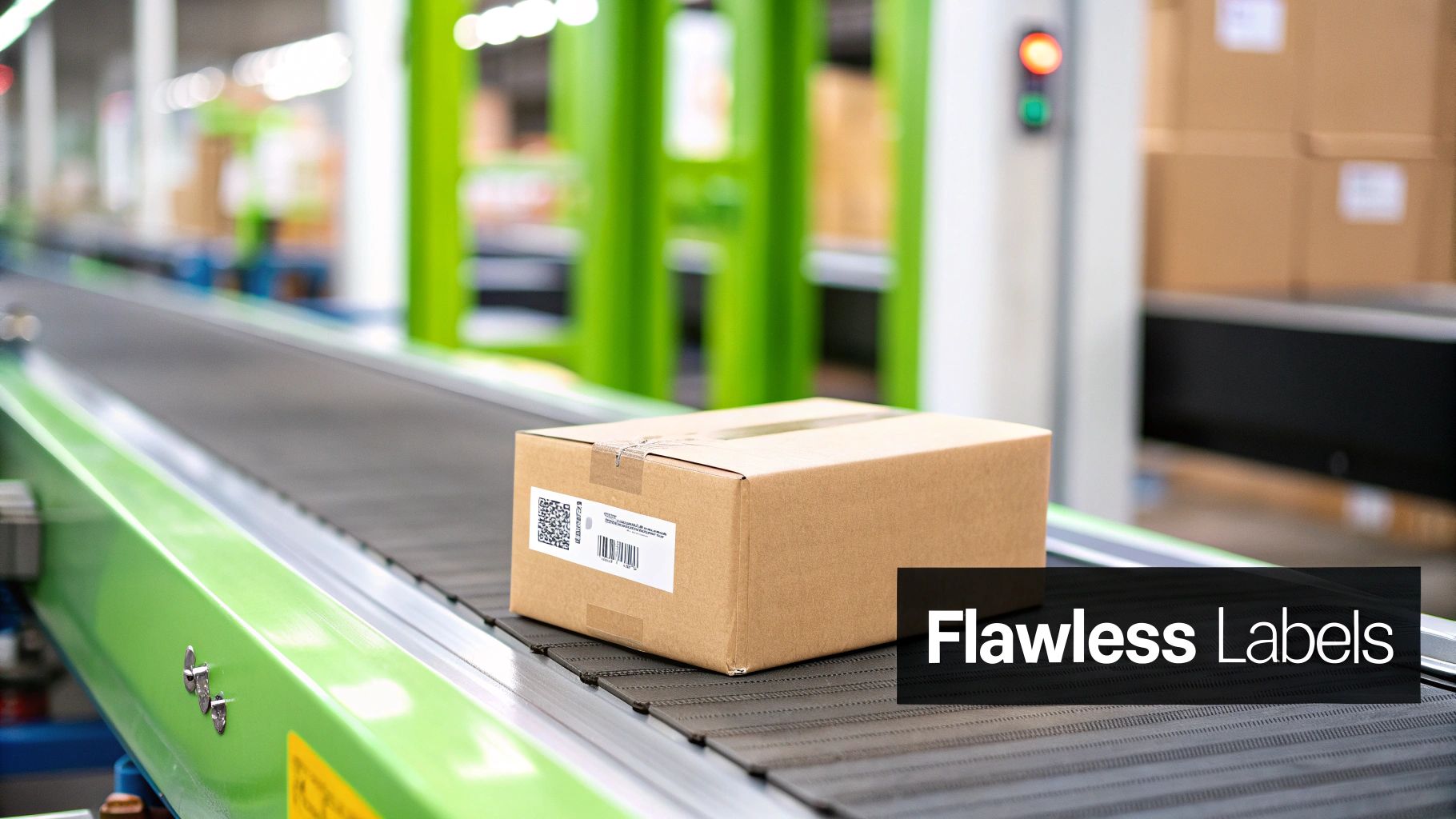
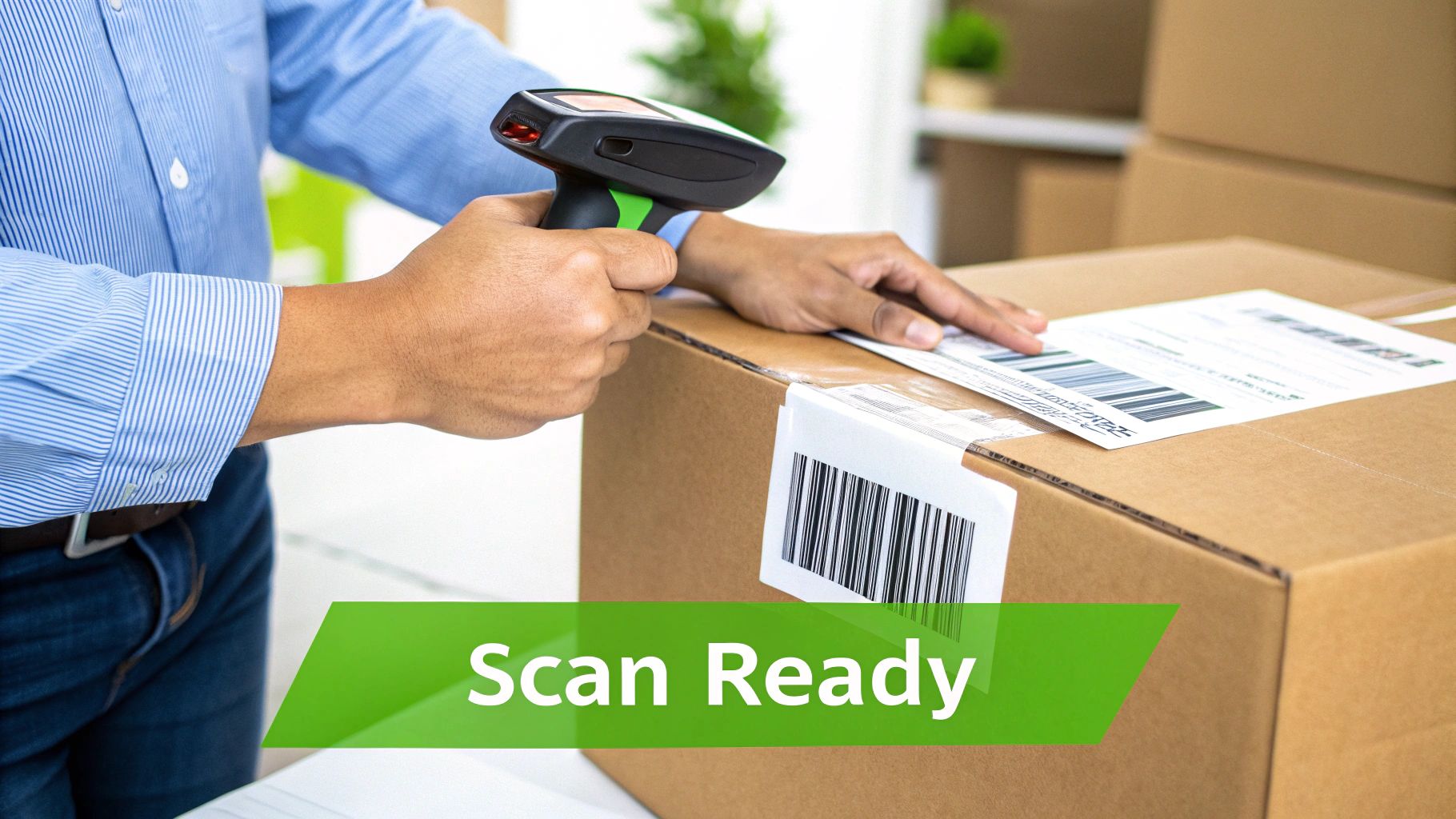
The image above shows a perfectly labelled package, ready for its journey. The clarity and placement are key for the automated scanners that will handle it along the way, ensuring it moves smoothly from your warehouse to your customer's door. It’s a simple step that transforms a complex logistical task into a streamlined, reliable part of your business.
Choosing Your Printer and Label Stock
Picking the right hardware for your shipping labels is one of those practical decisions that can make or break your daily workflow. It's not just about printing; it's about efficiency, costs, and getting your parcels out the door without a fuss. For most Australian businesses, the choice boils down to two main players: a dedicated thermal printer or the standard laser printer you probably already have.
Many businesses start out by just using their office laser or inkjet. It makes sense at first—it’s cheap and you already own it. You just print the label on a regular A4 sheet, grab the scissors, and tape it onto the box. But trust me, the cost of ink and toner adds up a lot faster than you’d think, especially once you start shipping more regularly.
Thermal Vs Laser Printers: A Practical Comparison
Once your order volume picks up, the thermal versus laser debate gets real. A thermal printer is a game-changer. It’s a purpose-built machine that uses heat to print directly onto special labels, so you can forget about ever buying ink or toner again. Yes, the upfront cost is higher, but the long-term savings on consumables are massive.
A laser printer, on the other hand, is a jack-of-all-trades. It can print your labels, but it chews through expensive toner and needs special A4 label sheets. The cost-per-label is almost always higher. If you're really weighing up the pros and cons, this ultimate guide to label printer machines is a great resource that gets into the nitty-gritty.
To make it simple, let's break down how they stack up for a typical Australian e-commerce business.
Thermal Vs Laser Printers For Shipping Labels
Here's a head-to-head comparison to help you decide which printer type is right for your Australian business needs.
| Feature | Thermal Printer | Laser Printer |
|---|---|---|
| Ongoing Costs | Low (only label rolls needed) | High (toner and A4 label sheets) |
| Printing Speed | Very fast (prints one label in seconds) | Slower (prints an entire sheet) |
| Ease of Use | Simple peel-and-stick process | Requires cutting and taping, or peeling |
| Best For | Businesses shipping 5+ orders per week | Very low-volume or startup businesses |
| Upfront Cost | Higher initial investment | Lower if you already own one |
See that turning point? If you're sending even a handful of parcels each week, a thermal printer quickly pays for itself. The time you save and the money you don't spend on toner make it one of the smartest investments for a growing business.
Getting Your Label Stock Right
Your printer is only half the equation; the labels you use are just as crucial. Here in Australia, the industry standard for courier labels is 100mm x 150mm. You’ll see it called 4×6 inches sometimes, but it’s the same thing. This size is what all the major carriers, including the services on the Aeros Couriers platform, are set up to handle.
The 100mm x 150mm format is the sweet spot. It gives you plenty of room for the address, a clear and scannable barcode, and all the tracking details needed to fly through automated sorting machines nationwide.
When you're buying labels, don't cheap out on the adhesive. A label that curls up and falls off mid-transit is a guaranteed way to lose a package and create a customer service nightmare. For a reliable setup, get yourself some quality 100mm x 150mm thermal labels that are actually designed for shipping. For more specifics on the label generation side of things, you can learn how to print your postage label with Aeros Couriers to make sure everything lines up perfectly. It’s a small detail, but using the right labels prevents huge headaches later on.
Printing Labels Seamlessly With Aeros Couriers
Alright, let's get down to the practical side of things. Creating shipping labels with Aeros Couriers is refreshingly simple, whether you're sending one parcel or a hundred. The platform takes what can often be a tedious job and boils it down to just a few clicks, getting your packages ready for the Australian delivery network without any headaches. It’s all about getting your goods out the door, fast.
For that one-off, urgent order, the process is a breeze. You just log in, punch in the delivery details, add the package size and weight, and hit 'generate'. In seconds, you get a print-ready PDF, perfectly formatted for whatever printer you're using. No guesswork, no fuss.
From Single Orders To Bulk Shipments
Handling individual orders is easy enough, but the real power of the Aeros Couriers platform shines when you're dealing with volume. As your business grows, manually typing in address after address isn't just a time-sink; it’s an open invitation for mistakes. This is where batch printing becomes an absolute game-changer.
Batch printing lets you create and print shipping labels for a whole stack of orders all at once. It’s a feature practically built for growing Aussie businesses that need to scale their operations without multiplying their workload. You can either connect your online store or just upload a simple CSV file with all your order info.
- Connect Your Store: If you're running on a platform like Shopify or WooCommerce, you can link it directly. Orders are pulled in automatically, which means no more manual data entry and far fewer address typos.
- Upload a CSV File: For those taking orders offline or using a custom system, you can just pop your shipment data into a spreadsheet. Upload that file, and Aeros Couriers will generate all the labels you need in one go.
This simple function turns hours of mind-numbing work into a job that takes minutes. That's more time you can spend on the parts of your business that actually need your attention.
A Quick Guide To Choosing Your Printing Method
Picking the right printing setup really just comes down to how many parcels you send. We've put together this flowchart to help you figure out the best path based on your shipping volume.
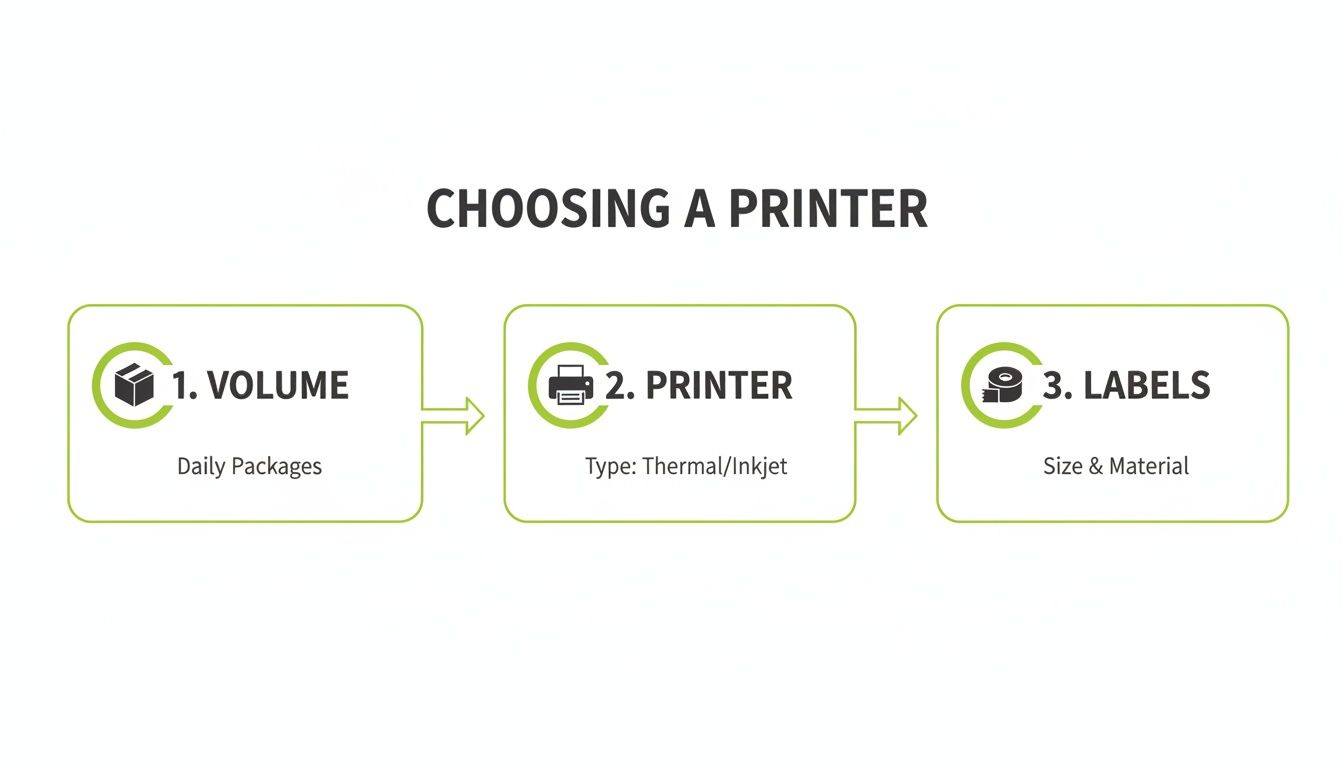
As you can see, once your order volume starts to climb, investing in a dedicated thermal printer and rolls of labels quickly becomes the most efficient and cost-effective choice.
Making Batch Printing Work For You
Let's walk through a real-world scenario. Say you've had a brilliant weekend sale and now have 50 orders to get out the door. Instead of opening 50 different tabs and manually typing each address, you'd just export your orders into a single CSV file. After a quick check to make sure the columns are in the right format, you upload it straight to the Aeros Couriers dashboard.
The platform crunches the data and, in moments, presents you with a full list of all 50 labels, ready to go. You click one button, and your thermal printer starts spitting out perfectly formatted, professional-looking labels, one after another. What could have easily eaten up your whole morning is now done before you've even finished your coffee.
The real beauty of batch processing is its scalability. It’s a system that works just as well for 10 orders as it does for 1,000. This ensures your fulfilment process can keep up with your business's growth without adding any complexity.
Ultimately, by building these tools into your day-to-day workflow, printing shipping labels stops being a chore and becomes just another smooth, seamless part of your operation. It guarantees every parcel leaving your premises has a clear, accurate, and scannable label, setting it up for a successful journey to your customer.
Mastering Label Placement and Barcode Integrity
You can have the best printer in the world, but if the label isn't stuck on right or the barcode is fuzzy, it’s all for nothing. A parcel’s journey through the Australian logistics network depends on automated scanners, and getting your label placement and quality perfect is the only way to guarantee a smooth ride.
One of the most common rookie errors I see is slapping a label over a box seam, wrapping it around a corner, or sticking it on an uneven surface. Sorting machines need a perfectly flat, clear view to do their job. A creased or bent label can completely distort the barcode, forcing a manual sort which almost always means delays. Worse, it could get sent right back to you.
Strategic Label Placement for Common Packaging
Where you stick the label is just as important as what's on it. Different types of packaging have their own 'sweet spot' for maximum scannability.
- Cardboard Boxes: The golden rule is to always use the largest, flattest side of the box. This gives the scanners the best possible target and keeps the label away from edges that get bumped and scuffed during transit.
- Poly Mailers and Satchels: Before you even think about applying the label, smooth the bag out completely. Get rid of any wrinkles. The label should go squarely in the centre, with no air bubbles underneath that could mess with the barcode.
Here’s a simple takeaway that will save you a world of headaches: one flat surface, one complete label. Never, ever split a label across two sides or fold it over an edge. Sticking to this prevents 99% of all placement-related scanning failures.
Ensuring Barcode Integrity Every Time
A blurry, smudged, or faded barcode is a guaranteed ticket to trouble. If a scanner can’t read it in a fraction of a second, your package gets flagged and pulled from the automated line for manual intervention.
Thankfully, most barcode problems come down to simple printing issues you can easily fix. If you’re using a thermal printer, a quick, regular clean of the print head will stop faint or broken lines from appearing. For laser printer users, keep an eye on your toner levels and steer clear of 'eco-mode' settings, which often reduce print darkness to save ink. It's also worth double-checking that your software isn't accidentally scaling the label image, as this can throw the barcode's proportions out of whack and render it unreadable.
Getting this right is a big deal for Australian businesses. A crisp barcode isn't just about efficiency; it's a key part of your Chain of Responsibility compliance. With lightweight parcels making up a significant portion of all shipments, automated systems are essential for managing costs and keeping things moving.
You can learn more about how accurate labelling is crucial for Australian freight in our guide about consignment notes. Ultimately, every piece of information on that label, from the barcode to the address, has to be crystal clear.
Actionable Tips to Streamline Shipping and Cut Costs
Once you've got your printing process dialled in, the real game begins. It's time to shift your focus from simply making labels to making your entire shipping operation smarter and more cost-effective. These are the small adjustments that separate the truly efficient Australian businesses from the rest, turning a necessary expense into a competitive edge.
It all starts with getting the numbers right. One of the quickest ways to watch your profits evaporate is by incorrectly declaring your parcel's weight and dimensions. Couriers use automated systems to weigh and measure every single package, and any discrepancy can lead to some pretty hefty surcharges that come straight out of your pocket.
The Power of Precision and Integration
Before you even think about printing a label, get out your digital scales and a measuring tape. Guessing the weight, even if you’re only slightly off, is a gamble that just isn't worth the financial risk.
Being precise from the get-go ensures you pay the correct amount upfront and avoid those nasty billing surprises down the line. To get a clear idea of how these details impact your bottom line, use a reliable shipping quote calculator for an accurate estimate before you commit.
Another game-changer is integrating your e-commerce store directly with your shipping platform. This simple connection automates the whole label creation process, and frankly, it's a massive time-saver.
- No More Manual Data Entry: Orders from your Shopify, WooCommerce, or other platform get pulled in automatically. You can say goodbye to manually typing customer addresses.
- Fewer Human Errors: This automation drastically cuts down on typos and incorrect postcodes—a primary cause of failed deliveries and expensive returns.
This kind of integration completely changes your workflow. You'll find you can handle a much higher volume of orders without needing to hire more staff to manage the admin.
A crucial next step is to actually use your shipping data. Dive into your shipping history. It will help you forecast future costs, pinpoint your most expensive shipping routes, and make smarter decisions about your pricing strategy.
Turn Shipping Into a Reward
Finally, keep an eye out for value-added benefits that can help offset your operational expenses. With a platform like Aeros Couriers, for instance, every label you print earns you reward points. These points can be redeemed for over 10,000 branded items, which effectively turns a standard business cost into a tangible benefit.
It's important to have a well-organised and compliant shipping strategy. By adopting these smarter practices, printing shipping labels becomes more than just a task—it becomes an integral part of a lean, profitable, and scalable operation.
Common Questions About Printing Shipping Labels
Even with a solid shipping process in place, questions inevitably pop up. After helping countless Aussie businesses get their parcels out the door, we've noticed a few queries that come up time and time again.
Here are the answers to those common sticking points, so you can get things sorted and keep your orders moving.
What Is the Standard Shipping Label Size in Australia?
The go-to standard for shipping labels across Australia is 100mm x 150mm. You’ll often see this referred to as a 4 x 6 inch label.
This size has become the industry benchmark for a reason—it’s the perfect canvas. It gives you plenty of room for the delivery address, return address, tracking information, and that all-important barcode, all without overwhelming smaller packages. It's also the default format for almost every thermal label printer and, of course, for all labels generated through Aeros Couriers.
Can I Print a Shipping Label With a Regular Printer?
Yes, absolutely. You don't need to rush out and buy a dedicated label printer right away. Your standard A4 inkjet or laser printer will work just fine when you're starting out.
Simply print the label on a regular sheet of paper, cut it out, and tape it securely to your parcel. The only real catch is to make sure the sticky tape doesn't cover the barcode. The glare from the tape can sometimes throw off the courier's scanner. While this is a perfectly good method for businesses shipping a few orders here and there, you'll quickly find a thermal printer is a game-changer for speed and professionalism as you grow.
Pro Tip: If you're printing on A4 paper, use clear packing tape to cover the entire label except for the barcode. This gives it great protection against rain, smudges, and general wear and tear during its journey. A little extra tape can save a lot of headaches.
Why Is My Barcode Not Scanning Correctly?
A barcode that won't scan is nearly always a print quality issue. The first thing to check is your printer settings—make sure any 'scale to fit' or 'fit to page' option is turned off. These settings can subtly alter the barcode's dimensions, making it unreadable to scanners.
If you're using a thermal printer, the usual suspect is a dirty print head, which can create faint or broken lines. A quick clean with a proper cleaning wipe usually fixes it right up. For inkjet or laser printers, it’s often just a case of low ink or toner. A fresh cartridge will solve it.
And remember, before you even print, you can get a clear idea of your costs. Feel free to calculate your shipping charges on our site to confirm you’re on the best rate. The goal is always a dark, crisp barcode on a clean white background.
Ready to simplify your shipping? With Aeros Couriers, you can get instant quotes, book jobs in minutes, and print professional labels directly from your dashboard. Start shipping smarter today!
Courier quotes, tracking and support
Ready to send a parcel? Compare the available services for your postcodes, parcel dimensions and weight. For an existing delivery, use your consignment number to check tracking or ask our team for help.