If you're an Australian business owner, you know the grind of getting orders out the door. But if you’re still printing shipping labels on A4 paper, you’re making it harder than it needs to be. A dedicated postage label printer isn't just another gadget; it's the key to unlocking a truly efficient shipping process for fast parcel deliveries Australia-wide.
These little workhorses use thermal printing, so you'll never buy ink or toner for them again. They're built specifically for the standard 100x150mm labels used by couriers like Aeros Couriers. It's about turning a tedious, multi-step chore into a simple, one-click action. This isn't just about speed—it's about accuracy, looking professional, and getting hours of your week back.
It's Time To Ditch The A4 Sheets and Scissors
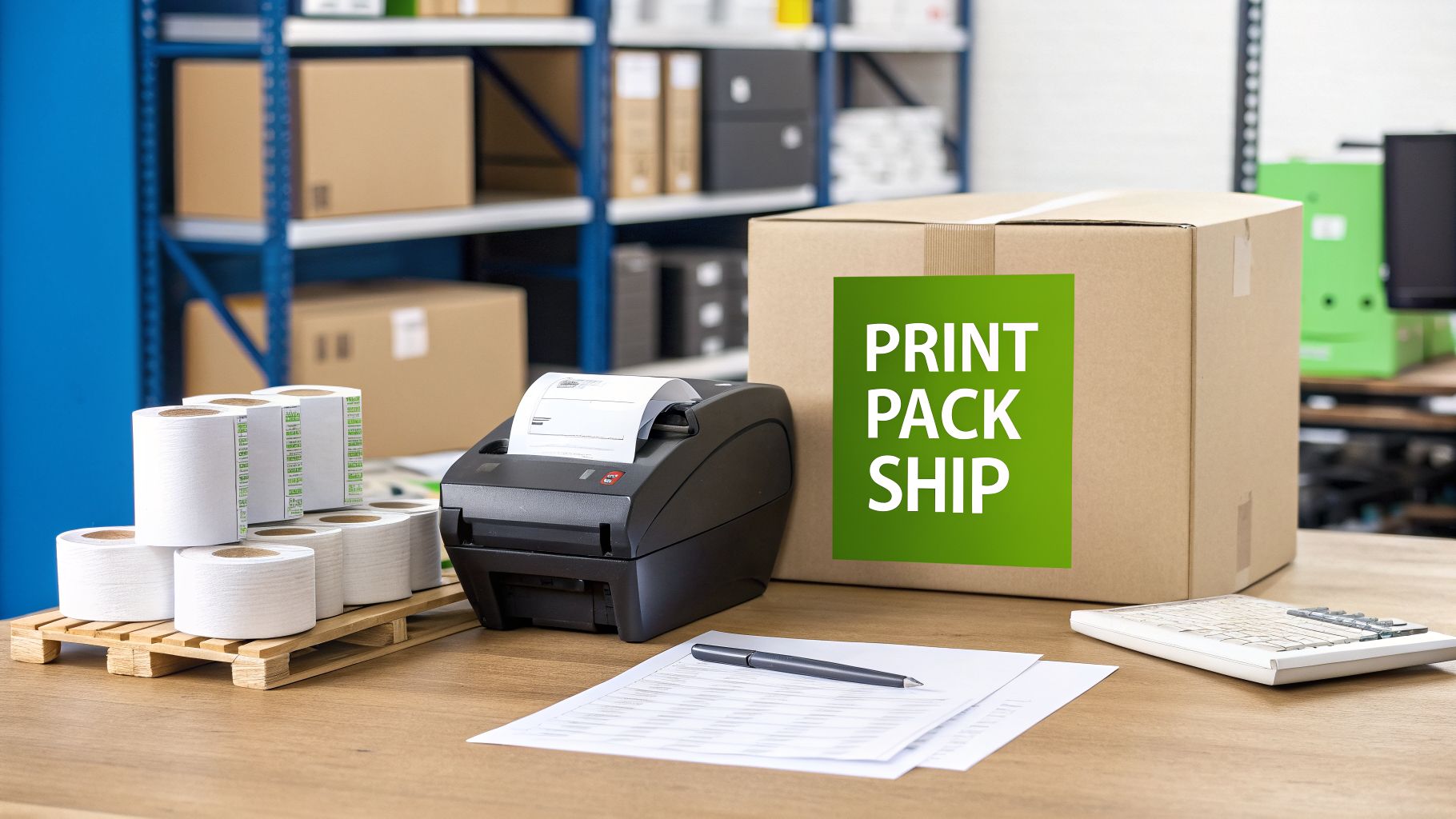
Picture your packing bench running like a well-oiled machine. Orders are packed, labelled, and ready for pickup in minutes. Each box has a crisp, perfectly scannable label on it. This is what happens when you finally move from a standard office printer to a dedicated label printer.
I’ve seen it countless times with growing Aussie e-commerce stores. When you're starting out, printing on paper seems fine. But as your orders ramp up, that process quickly becomes a major bottleneck. You’re wrestling with scissors, fumbling with sticky tape, and praying you haven't covered a crucial part of the barcode. It’s not just slow—it’s an open invitation for costly mistakes.
The Real Price of Printing on Paper
That "economical" A4 method has a lot of hidden costs. Think about the minutes spent on every single box—time you could be spending on marketing or talking to customers. Then you’ve got the actual cost of supplies: paper, pricey ink cartridges, and endless rolls of tape.
Worse yet, a smudged barcode or a label that falls off during transit can mean a lost parcel. That leads to a frustrated customer, a potential bad review, and a hit to your bottom line.
A dedicated postage label printer just makes all those problems disappear. It's a one-off investment that quickly pays for itself in sheer speed, fewer errors, and lower running costs. Think of it as the engine for a shipping operation that can actually grow with you.
This is also about your brand. When a customer receives their box with a sharp, professional label, it sends a powerful message. It says you're reliable, you care about the details, and you're a serious business. In the competitive world of e-commerce, that first impression is everything.
- Stop wasting time: Go from printing to sticking in a matter of seconds. No more cutting and taping.
- Slash delivery errors: Professional thermal labels ensure every barcode is crystal clear and scannable, reducing the risk of a parcel getting lost in the system.
- Look the part: A purpose-built shipping label instantly elevates your brand’s credibility over a taped-on piece of paper.
For any business shipping boxes and parcels around Australia, a smooth workflow is non-negotiable. Using a good postage label printer ensures your system works perfectly with the Aeros Couriers platform, making your entire dispatch process incredibly efficient. To get started, you can learn more from our guide on printable shipping labels.
And if you’re selling on specific platforms, it’s vital to get the details right. For instance, understanding the specific Amazon FBA Labeling Requirements is critical. Making this simple upgrade is one of the most important steps you can take to build a fulfilment operation that’s ready for anything.
Choosing the Right Postage Label Printer for Your Business
Finding the right printer for your business doesn't have to be complicated. When you're shipping boxes every day with a courier like Aeros Couriers, the choice is actually pretty simple. You need something fast, reliable, and cheap to run—and that points us directly to one specific type of printer.
First things first, forget about your standard office inkjet or laser printer. For dedicated shipping, direct thermal printing is the only way to go. It’s the secret sauce behind the rapid-fire label printing you see in professional warehouses and busy online stores.
Why Direct Thermal is the Only Real Choice
Direct thermal printers work by using a heated printhead to activate special, heat-sensitive label paper. As the head passes over the label, it turns the paper black, instantly creating your text and barcodes. The magic here is in its simplicity.
The biggest win? There’s no ink, no toner, and no ribbons. Think about that for a moment. You completely eliminate the ongoing cost and hassle of buying consumables. The only thing you'll ever need to restock is the labels themselves, which makes your cost-per-label incredibly low and predictable.
For an Aussie e-commerce business trying to ship parcels and boxes quickly and at the cheapest prices, a direct thermal printer isn't just a nice-to-have—it's the heart of an efficient dispatch operation. The technology is purpose-built for one thing: printing the crisp, scannable 100x150mm labels that every major courier in Australia requires.
This single-minded focus also makes these printers absolute workhorses. With fewer moving parts and no messy consumables to deal with, they’re designed to churn out thousands of labels with barely any maintenance. That kind of reliability is gold when you’ve got a mountain of orders to get out before the daily courier pickup.
Decoding the Specs That Actually Matter
When you start browsing for a postage label printer, you'll be hit with a wall of technical jargon. Most of it you can safely ignore. For our purposes, only two specs will have a real impact on your day-to-day workflow.
Print Speed: This is measured in millimetres per second (mm/s). A starter model might print at around 150 mm/s, which is more than enough for businesses sending out a few dozen parcels a day. But if you’re a high-volume seller, bumping up to a printer that can hit 200 mm/s or more will shave precious time off your packing process during those frantic peak periods.
Print Resolution: Measured in dots per inch (DPI), this determines how clear your label is. The industry standard for shipping labels is 203 DPI, which is perfect for creating sharp text and flawless, scannable barcodes. You might see 300 DPI models out there, but they’re overkill for standard Aeros Couriers labels and offer no real-world benefit.
While both direct thermal and thermal transfer printers are out there, the choice for Australian domestic shipping is crystal clear. Thermal transfer technology uses a ribbon, is designed for labels that need to last for years, and is frankly overkill for a simple postage label that just needs to survive a trip across town or across Australia.
To make it even clearer, let's break it down.
Direct Thermal vs Thermal Transfer Printers
Here’s a quick comparison to help you feel confident that direct thermal is the right tool for your Aussie shipping needs.
| Feature | Direct Thermal Printer | Thermal Transfer Printer | Best for Aussie E-commerce |
|---|---|---|---|
| Consumables | Labels only | Labels and ink ribbons | Direct Thermal |
| Running Cost | Very low | Higher (ribbon costs add up) | Direct Thermal |
| Label Lifespan | Months (perfect for shipping) | Years (for asset tracking, etc.) | Direct Thermal |
| Best For | High-volume, fast parcel shipping | Long-term product & asset labelling | Direct Thermal |
As you can see, the simplicity and rock-bottom operating costs of direct thermal technology make it the undisputed winner for e-commerce fulfilment. You get all the performance you need without paying for features you'll never use.
If you want to explore this a bit more, our comprehensive guide on shipping labels and printing offers even more detail.
Matching a Printer to Your Order Volume
The last piece of the puzzle is picking a model that suits the size of your business—both now and where you plan to be in the future.
For a new or small business shipping up to 50 parcels per day, an entry-level direct thermal printer is a brilliant investment. These units are compact, affordable, and give you all the speed and quality you need to look professional from day one.
On the other hand, if your business is already processing over 100 orders daily, it's smart to look at a more industrial-grade postage label printer. These machines are built with tougher components, boast faster print speeds, and can hold much larger label rolls. That means less time spent reloading and more time getting orders out the door, keeping your entire operation flowing smoothly. It’s about building a system that’s ready for your next big sale.
Your Guide to a Flawless Printer Setup
So, you've done it. That brand-new postage label printer is sitting on your desk, ready to completely change your shipping game. This is where the magic happens, so let's get you from unboxing to printing your first perfect Aeros Couriers label without any of the usual tech headaches.
Getting your printer out of the box and physically connected is the easy part. Most direct thermal printers give you two options: a simple USB cable or connecting to your Wi-Fi network. Honestly, for the most stable and pain-free experience, just plug it straight into your Mac or PC with the USB. It’s a rock-solid connection that just works.
Next up, your computer needs to learn how to talk to your new printer. This is done with a piece of software called a driver, and this is a step you can't afford to get wrong. Don't just let your computer find a generic driver for you. Make a point to go directly to the printer manufacturer's official website and download the exact driver for your specific model and operating system. Trust me, this little step prevents a world of pain and ensures every feature works as it should.
Configuring Your Printer for Perfect Labels
With the driver installed, we get to the most important part of the whole process: configuring your print settings. This is where you fine-tune everything so that your Aeros Couriers labels come out crisp, clear, and scannable, every single time. The goal is to set it once and then forget it, creating a seamless 'click-to-print' flow.
You'll need to find the printer settings or preferences panel on your computer. The trick is to create a new printing preset that you'll use exclusively for your shipping labels.
The absolute number one setting to get right is the label size. Here in Australia, all major couriers, including Aeros Couriers, have standardised on the 100mm x 150mm label. You might also see this referred to as a 4×6 inch label. Nailing this dimension in your printer's properties is non-negotiable if you want your labels to format correctly.
Getting the label size right from the start is the secret to avoiding frustrating issues like cut-off barcodes or info spilling onto a second label. Taking five minutes now to create a dedicated "Shipping Label" preset with the 100mm x 150mm dimensions will save you hours of fiddling later.
This visual guide shows the key things we look for when choosing a printer in the first place, which directly influences how you'll set it up.
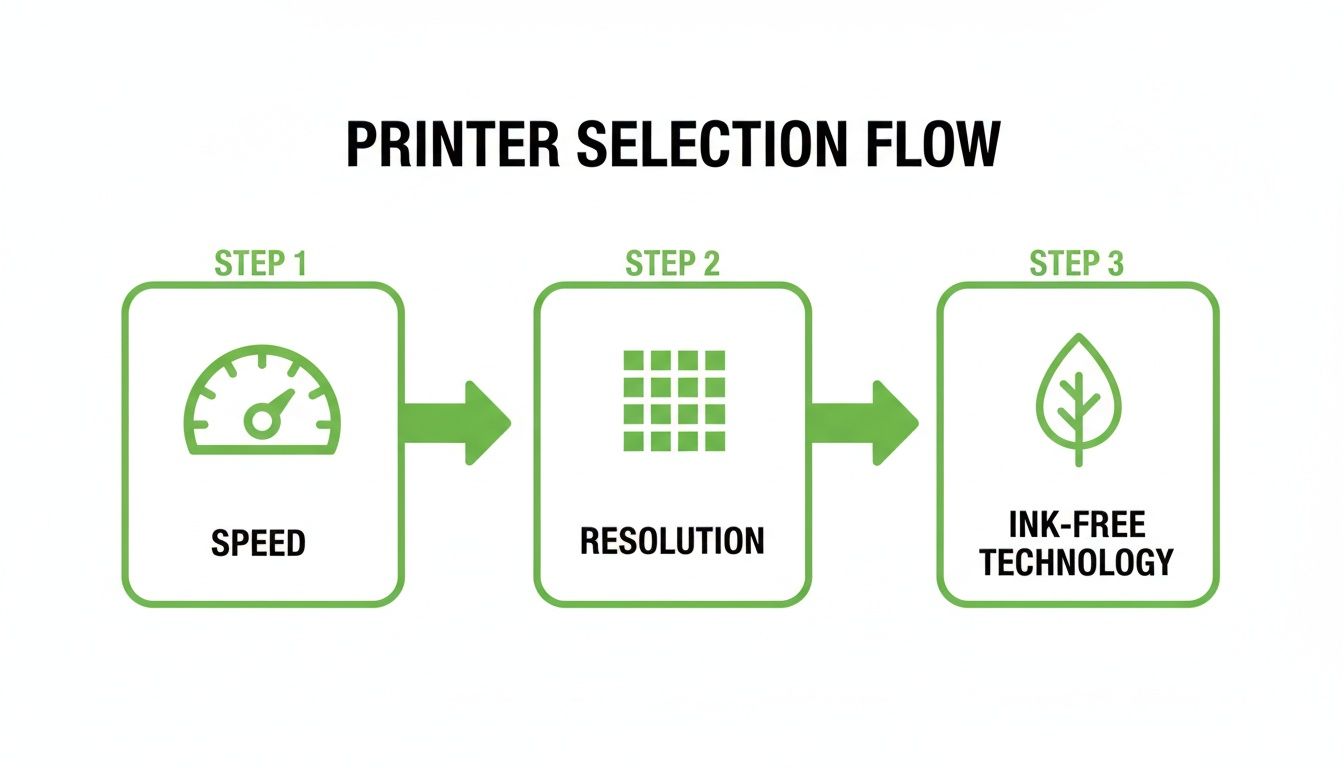
As you can see, the decisions you make around speed, resolution, and technology all play a role in creating an efficient printing system.
Fine-Tuning for Quality and Speed
Beyond just the label size, there are a couple of other settings worth tweaking to really dial in your printer's performance.
- Print Speed: Your printer might boast about its lightning-fast speeds, but faster isn't always better for thermal printing. If you find your labels look a bit faint or patchy, try slowing the print speed down a notch. This gives the printhead a fraction of a second longer to heat the label, resulting in a much darker and bolder print.
- Density (or Darkness): This setting controls the temperature of the printhead. For standard shipping labels, a mid-to-high density usually hits the sweet spot. If your barcodes look washed out and aren't scanning easily, bumping up the density is almost always the solution.
Even before you get to the printer, having a basic grasp of how to create labels using software can give you a real head start when it comes to setting up your postage label workflow.
Your mission is to find that perfect balance between speed and quality. A perfectly configured printer will spit out a sharp, instantly scannable label in a second or two. Once you have these settings dialled in, save them as your default preset.
Now, when you generate a new label on the Aeros Couriers platform, you just select your printer and click 'Print'. That's it. No more resizing, no more guesswork. Seeing that perfect label emerge, ready to peel and stick, is a genuinely satisfying moment. For a deeper dive into our system, check out our guide on how to print a postage label.
Sourcing Labels and Supplies Without Breaking the Bank
So, you’ve got your new printer humming away. That’s fantastic, but it’s only one half of the puzzle. The labels themselves are the unsung heroes of your shipping station, and getting this part right is where you can really start to see gains in both your efficiency and your bottom line. Let's talk about the fuel for your new shipping engine: direct thermal labels.
Before you buy, it’s worth knowing the two main formats you’ll come across when shipping parcels and boxes here in Australia. Each one suits a different kind of workflow, and picking the right one from the start can save you a lot of hassle.
Fan-Fold Labels vs. Label Rolls
The choice between fan-fold stacks and traditional rolls really boils down to two things: how much space you have and how many orders you're shipping each day. There’s no single "best" choice, just what’s best for your business right now.
Fan-fold labels are a game-changer for high-volume sellers. They come in a neat stack, almost like a ream of paper, and feed into the back of your printer. You can load a brick of 500 or 1,000 labels and just let it run for days. They also feed flat, which means no annoying curl on the label when you go to stick it on the box.
Label rolls, on the other hand, are the champions of the compact workspace. Most entry-level thermal printers are designed to hold a roll right inside the machine, keeping your packing bench tidy. These rolls usually hold between 250 and 400 labels, making them perfect if you have a smaller daily order volume or are tight on space.
Honestly, a lot of businesses start out with rolls because they’re easy and self-contained. As they grow, they often switch to an external label holder and fan-fold stacks. This lets you keep using your perfectly good printer but get the high-volume benefits of reloading less often.
The most important factor isn’t the format, but the quality and cost. Sourcing the right 100x150mm labels from a reliable Australian supplier will have a much bigger impact on your bottom line than whether they come in a stack or on a roll.
Finding Affordable Labels in Australia
Here’s a secret that can save you a serious amount of money: your biggest ongoing cost won't be the printer, it will be the labels. This is your biggest opportunity for savings.
While it's tempting to grab a roll from your local office supply store, you'll almost always pay a premium. The smart move is to find a specialised online packaging supplier here in Australia and buy in bulk.
Buying by the box—whether it’s 10, 20, or even 50 rolls/stacks at a time—slashes your cost per label. It’s the difference between paying over 10 cents a label versus just 2-3 cents per label. If you’re sending hundreds of parcels and boxes a week, those savings pile up incredibly quickly.
Keeping Your Labels in Top Condition
Direct thermal labels are brilliant, but they do have an Achilles' heel: they’re sensitive to heat and direct sunlight. Storing them properly is non-negotiable if you want to avoid issues. A faded barcode can’t be scanned, and that can lead to frustrating delays in the Aeros Couriers network.
Protect your label stock with a few simple habits:
- Store them in a cool, dark place. A stockroom cupboard or a desk drawer is perfect—anywhere away from windows.
- Keep them away from heat. Never leave your labels in a hot car, a sun-baked warehouse corner, or right next to a heater.
- Practise 'first in, first out'. Always use your oldest box of labels first. This ensures every label you print is fresh, crisp, and ready for its journey.
Proper storage is a small step that ensures every parcel leaves looking professional, with a barcode that’s ready for a perfect scan. It’s one of the easiest ways to maintain a smooth delivery experience. For more on this, check out our tips for getting your label on the package perfectly every time.
Beyond the Basics: Pro Tips & Quick Fixes
Getting your printer set up is a great first step, but the real magic happens when you move beyond just "making it work". We're talking about fine-tuning your process until it's so smooth, it almost runs itself. And, crucially, knowing exactly what to do when the tech decides to have an off day. This is where you really start to master your dispatch workflow.
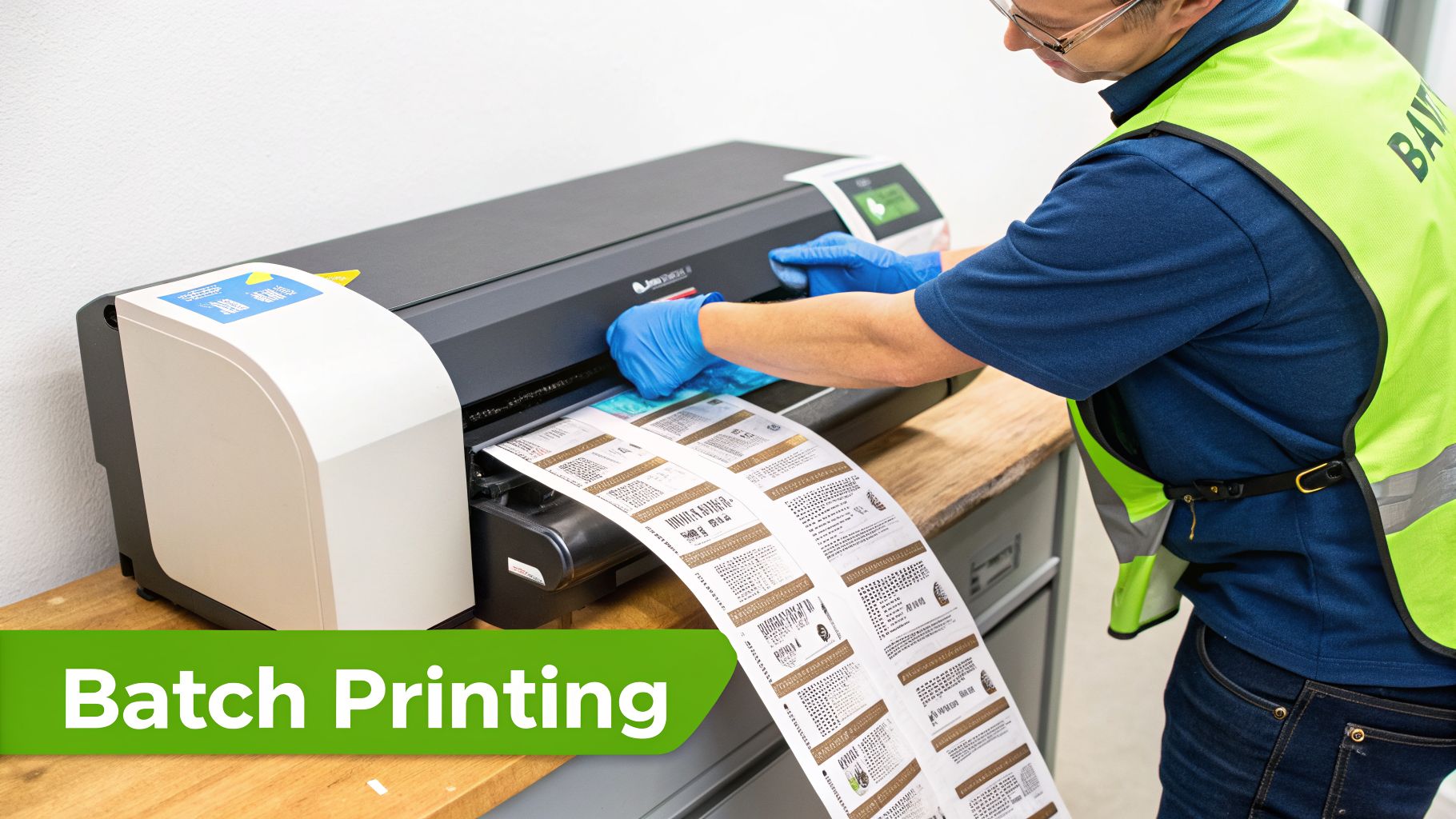
Let’s talk about a feature that honestly feels like a superpower during busy periods: batch printing. Instead of clicking print, one label at a time, the Aeros Couriers system lets you process an entire mountain of orders with a single, deeply satisfying click.
Picture this: you've just wrapped up a huge weekend sale and are staring at 50 orders needing to go out. With batch printing, you simply select them all, generate the labels in one go, and send the entire job to your printer. It turns what could be a mind-numbing hour of repetition into a few seconds of automation, letting you get on with the important job of packing those boxes.
Quick Fixes for Common Printer Hiccups
Even the most reliable workhorse of a printer can throw a wobbly. The good news? Most of the time, the fix is incredibly simple and doesn't require an IT degree or a call-out fee. Before you even think about panicking, run through these common issues.
Problem 1: My Labels Are Coming Out Blank
This is easily the most common (and heart-stopping) issue. You hit print, the machine whirs to life, and out comes a perfectly white, completely blank label.
- The Cause: In almost 99% of cases, this is simply because the label roll has been loaded upside down. Direct thermal paper is only heat-sensitive on one side.
- The Fix: Don’t overthink it. Just open the printer, flip the entire roll or stack of labels over, and feed it back through. That's it. You’ll be back in business.
Problem 2: The Label Is Misaligned or Printing Across Two Labels
You’ve printed a label, but the barcode is sliced in half, or the address is split between two separate stickers. This is a classic sign the printer has lost its bearings and doesn't know where one label ends and the next begins.
- The Cause: The printer’s media sensor needs to be recalibrated. This often happens after you've changed the label roll or cleared a paper jam.
- The Fix: You just need to run the printer's calibration sequence. On most models, this is as simple as holding down a button while it spits out a few labels to find the gaps. It usually takes less than 30 seconds—check your manual for the exact process.
Nailing the Perfect Print, Every Single Time
If your labels are printing but look a bit fuzzy or faint, don't just put up with it. A dodgy barcode is a real risk for your delivery, as the courier’s scanners might struggle to read it. Let's get that sorted.
Problem 3: My Barcodes Are Faint or Blurry
A barcode that can’t be scanned is a fast track to manual sorting delays or, worst-case scenario, a lost parcel. This is almost always down to one of two things: a dirty printhead or the wrong settings.
First, give it a quick clean.
- Switch off the printer and unplug it from the wall.
- Open it up to get a clear view of the printhead.
- Using an isopropyl alcohol wipe, gently clean the thin black line of the printhead. This will lift off any gunk or adhesive residue that's causing those faint lines.
If a good clean doesn't do the trick, it's time to tweak your driver settings on the computer. Find your printer properties and look for two key adjustments:
- Darkness/Density: Nudge this setting up a little. It increases the printhead's temperature, resulting in a much blacker, bolder print.
- Print Speed: Try slowing this down slightly. A slower speed gives the thermal elements more contact time with the label, which dramatically improves the final quality.
A clean printhead paired with the right darkness and speed is the secret sauce for a crisp, scannable barcode. This isn't just about looking professional; it's about making sure your parcels fly through the Aeros Couriers network without a single hiccup.
Once you’ve got these quick fixes and pro features in your back pocket, you can keep your shipping station running like a well-oiled machine. You'll be able to solve most issues in minutes, stopping small glitches from becoming big headaches. If you need a refresher on the fundamentals, check out our guide on printing shipping labels, which lays the groundwork for an efficient setup. With this knowledge, you're ready to tackle anything your printer can throw at you.
Your Postage Label Printer Questions Answered
Stepping up your shipping game with a proper label printer can feel like a big move, but trust me, the payoff in time saved and professionalism is instant. We get asked a lot of the same questions by business owners making this exact leap, so I've put together some straight-to-the-point answers to help you get it right the first time.
Think of this as your cheat sheet for choosing, setting up, and mastering your new printer. Let's get those parcels and boxes flying out the door.
What Is the Best Postage Label Printer for a Small Aussie Business?
Honestly, for almost any Aussie e-commerce business shipping parcels and boxes, a direct thermal printer is a no-brainer. These printers are workhorses, built specifically to churn out the standard 100x150mm shipping labels that every major courier in Australia, including Aeros Couriers, uses.
The real beauty of them? They have no ongoing ink or toner costs. Because they use heat to print directly onto the label, your only real running cost is the labels themselves. In a fast-paced business where every cent and second matters, this is a massive advantage.
Can I Use Any Old Labels with My New Thermal Printer?
This is a mistake you only make once! You absolutely must use labels designed for your specific printer type. A direct thermal printer needs direct thermal labels. These rolls have a special heat-sensitive coating that turns black when the printhead applies heat, creating your text and barcodes.
If you mistakenly load regular paper labels or even labels made for a thermal transfer printer, you'll just get blank labels spitting out. It's a frustrating waste of time. When you’re buying supplies, always check the box says "Direct Thermal" and confirm they are the 100x150mm size.
How Do I Fix Blurry or Unscannable Barcodes?
A fuzzy barcode is the enemy of fast shipping, but it's usually a quick fix. More often than not, it comes down to either your printer's settings or a bit of simple cleaning.
A crisp, scannable barcode is your parcel's passport through the entire courier network. A fuzzy one is an invitation for delays. Taking a minute to dial in your settings is always worth it.
First, the easiest check: gently clean the printhead with an isopropyl alcohol wipe to get rid of any dust or tiny bits of adhesive that build up. If that doesn't clear it up, dive into your printer’s settings on your computer and try these two tweaks:
- Turn down the 'Print Speed': Slowing it down just a touch gives the printhead a fraction more time to create a sharper, cleaner image.
- Bump up the 'Darkness' or 'Heat': Increasing this setting delivers a bolder, blacker print that’s much easier for scanners to read.
A small adjustment here almost always results in a perfect barcode, ready for the Aeros Couriers network. Keeping your running costs low is just as important, and you can see how this all fits together when you calculate your shipping charges.
Do I Need Special Software for Printing Aeros Couriers Labels?
Definitely not, and that’s by design. We built our platform to be as simple as possible. Once your label printer is installed and recognised by your computer, you can print shipping labels straight from the Aeros Couriers web portal.
Our system generates a perfectly formatted PDF every time. All you have to do is hit 'Print'. There's no extra software to buy, no complicated integrations to manage—it just works.
Ready to stop wasting time and money on your shipping? With Aeros Couriers, you get access to the cheapest Australia-wide parcel delivery, integrated seamlessly with your new label printer. Get an instant quote and see how much you can save today. https://www.aeroscouriers.com.au
Courier quotes, tracking and support
Ready to send a parcel? Compare the available services for your postcodes, parcel dimensions and weight. For an existing delivery, use your consignment number to check tracking or ask our team for help.